System Settings
System Settings changes Mac desktop, user, privacy and security settings.
- Date
- Undated
Apple’s 2022 sources date the System Settings name/design phase. The first introduction of the System Preferences/System Settings family remains unestablished.
Image: Apple Inc. — native installed System Settings 15.0 (build 15.0) macOS application icon · Rights reserved · unchanged native Apple application artwork; no open reuse license asserted. ↗
History
Apple’s June 2022 Ventura preview explicitly called System Settings the new name for System Preferences, with a refreshed and streamlined design. The current app’s systempreferences bundle namespace supports the qualified continuity of that Mac settings family; the name phase does not date its origin.
The October 2022 Ventura release described the new design as optimized for efficient Mac navigation and more consistent with iPhone and iPad. Apple’s current Mac guide lists changing the desktop, adding users, and controlling privacy and security among the app’s tasks.
Media 3
View all ↗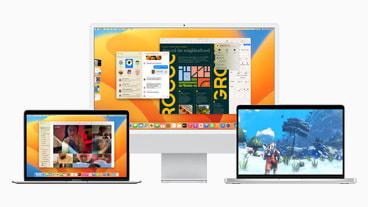

3 of 3 records
Details
Specifications
3 fields
Sources
3 sources
- Apps included on your MacOriginal source
- macOS Ventura adds powerful productivity tools and new Continuity features that make the Mac experience better than everOriginal source
- macOS Ventura is now availableOriginal source
One current settings application with System Preferences as the manufacturer’s explicit earlier name; no separate record per pane or daemon. Dated capabilities refer only to their named source edition; original introduction remains unknown.
Catalog data: Original editorial text; factual identity, features and milestones attributed to the cited Apple publications. Software/publication rights remain with their holders.