Claris Emailer
Claris Emailer brought internet mail retrieval, message storage, schedules and AppleScript automation into a classic Mac application. The 2.0v2 update added scripted filtering and language-aware contact and subject sorting, with separate Typical and Advanced database-rebuild behaviors.
- First available
- 1995
This is an application-family record; imported release dates can identify a specific platform edition rather than the first use of the product name. App Store current-version dates are not substituted for original launch dates.
Image: Claris Corporation; original corporate box image preserved by the Internet Archive · Original publication, photograph and depicted Apple/Claris interface or packaging rights reserved by their respective creators; no open reuse license asserted. ↗
History
Claris sold Emailer during the 1990s Macintosh internet expansion. It is a separate product from Apple Mail and from the productivity suite ClarisWorks. Preservation needs the particular Emailer release and supported account protocols; an old mail client may no longer authenticate to current hosted services unchanged.
Media 2
View all ↗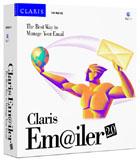
2 of 2 records
Details
Specifications
9 fields
- Developer
- Claris
- Platform
- Classic Macintosh
- Purpose
- Internet email client
- Distinct products
- Apple Mail and ClarisWorks
- Emailer 2.0v2 AppleScript filtering
- The filter verb applies mail actions to specified messages ↗
- Emailer 2.0v2 scripted subject access
- Up to 255 subject-field characters accessible from AppleScript ↗
- Emailer 2.0v2 property access
- AppleScript properties property returns all properties at once ↗
- Emailer 2.0v2 locale behavior
- Scheduling uses Date and Time control-panel formatting; contact, recipient and subject sorting uses Text control-panel language rules ↗
- Emailer 2.0v2 database compatibility
- After a 2.0v2 rebuild, opening the database in 2.0v1 requires that older version’s Advanced Rebuild ↗
Sources
3 sources
- Claris Emailer Version 2.0v2 Updater: Read MeCollection record
- List of software by Apple (revision 1384625116)Reference
- Claris Emailer Version 2.0v2 Updater: Read Me — exact retained articleOriginal source
Application or service family documented with version distinctions. Requirements explicitly labeled as current-listing values do not describe the original release. Public media and documentation are preserved; no installer redistribution rights are implied.
Catalog data: CC BY-SA 4.0 (attributed source text; product facts)